Before You Start
To keep production and drawings accurate, each order must follow these rules:
- One room per order (kitchen, vanity, laundry, etc.)
- One door style and one door colour per order
If you need multiple door styles or colours, you must place separate orders.
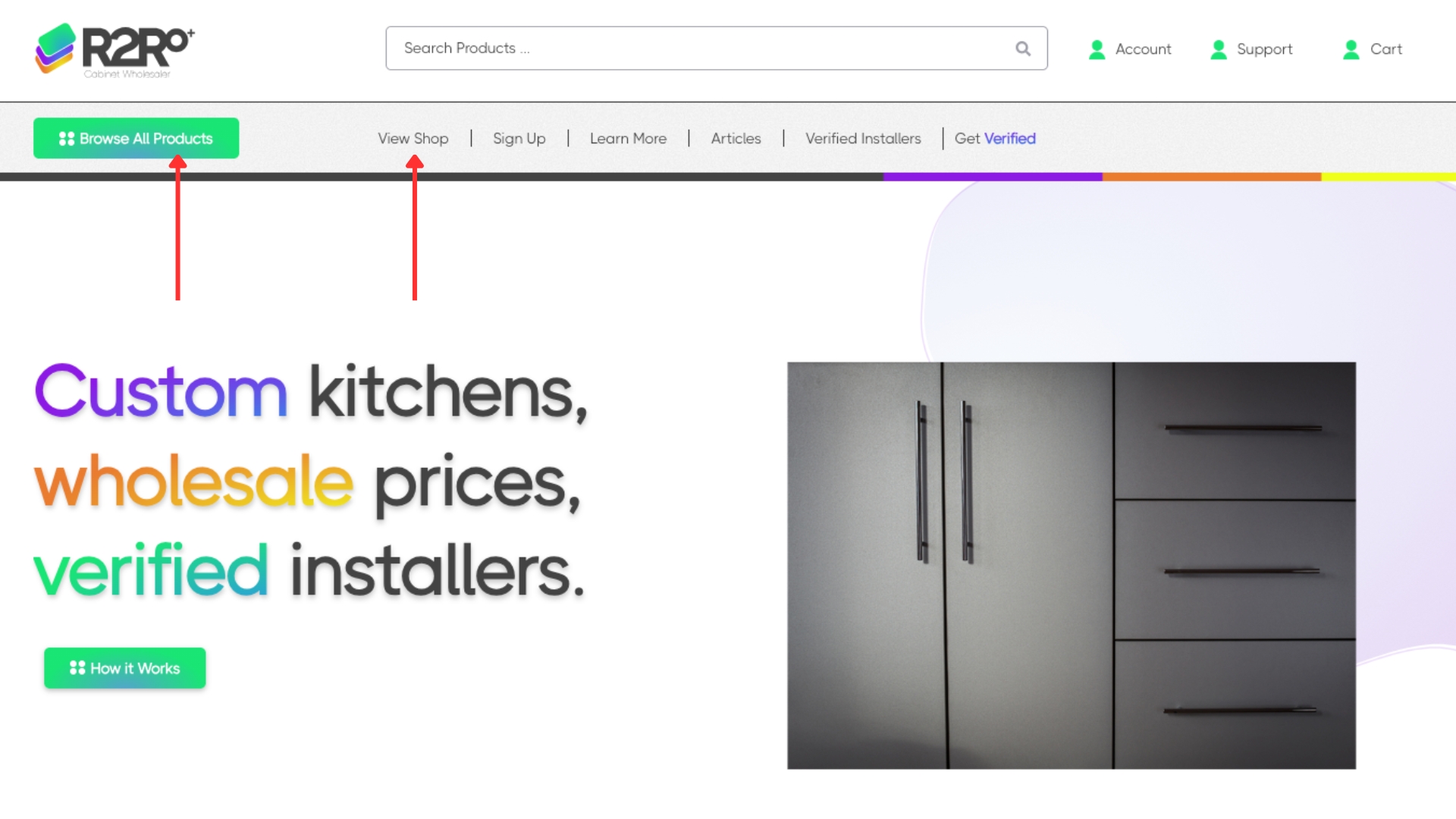
1) Go to the Shop Page
Navigate to the Shop page to browse cabinet categories and products.
- Click Shop in the main menu, or
- Use any Browse / Shop button on the site
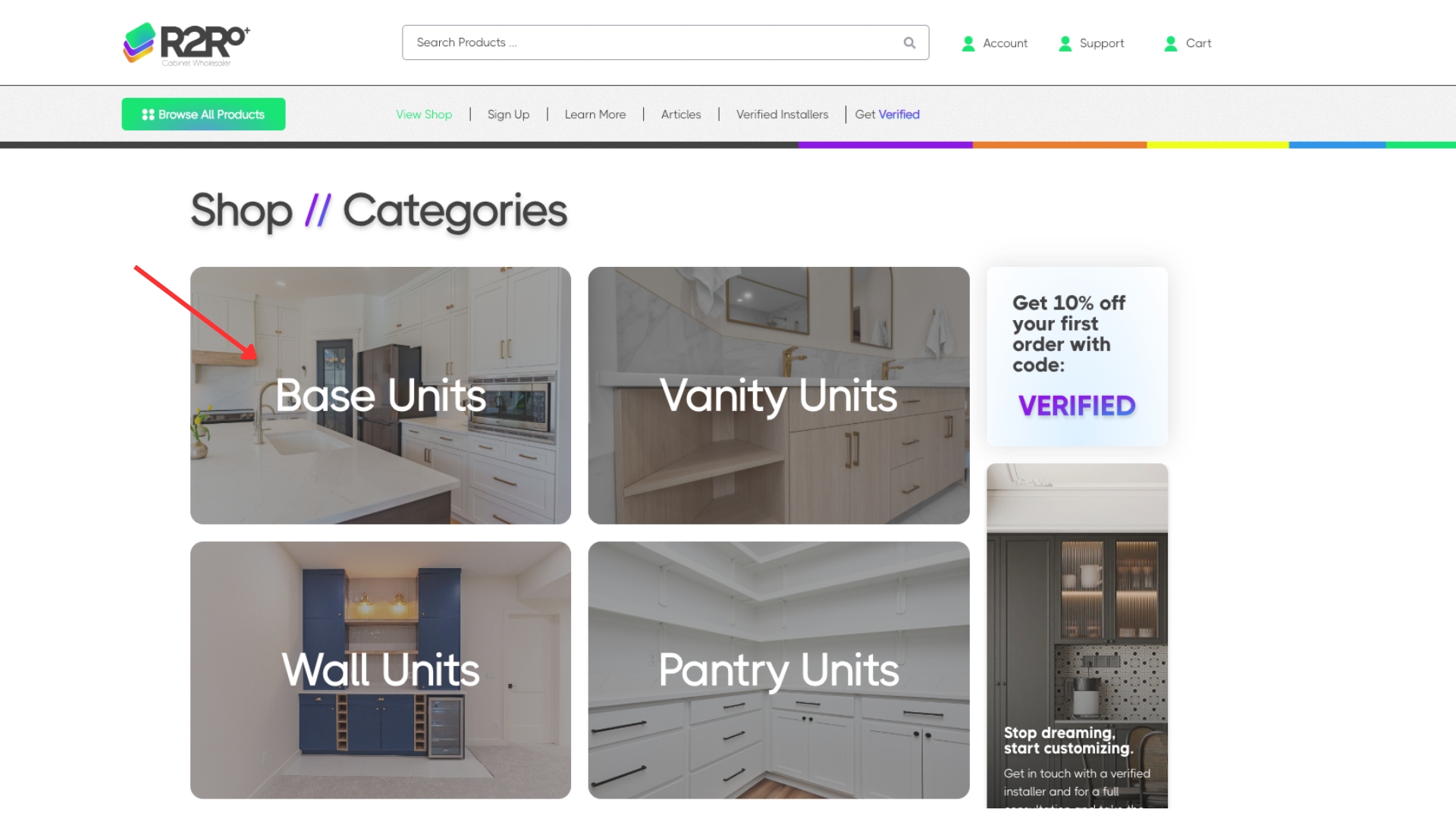
2) Choose a Product Category
On the Shop page, select the cabinet category you need
- Click a category tile or category name to open that category page
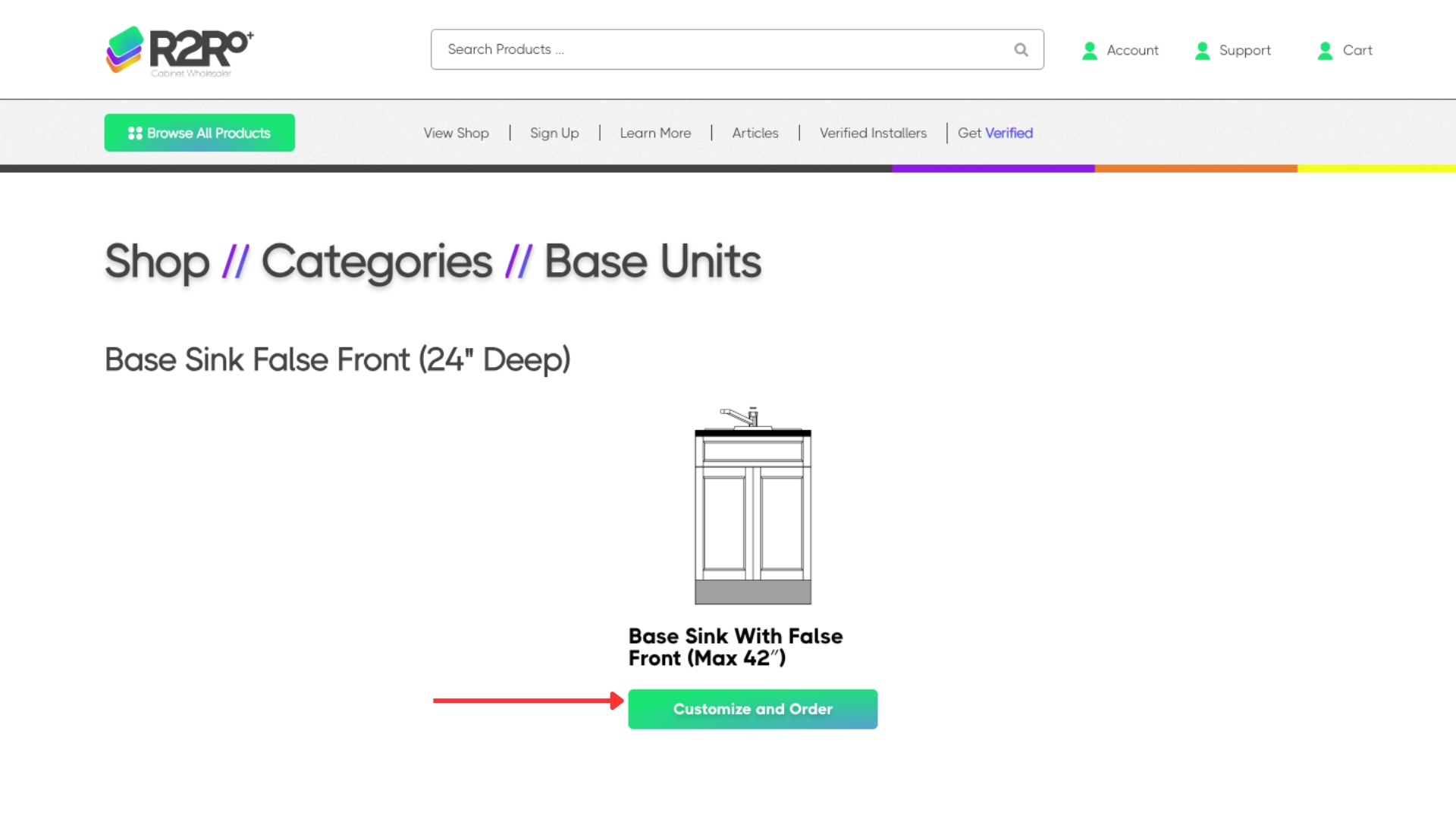
3) Select Your Product
Find the cabinet item you want within the category.
- Click the product, then select Customize & Order
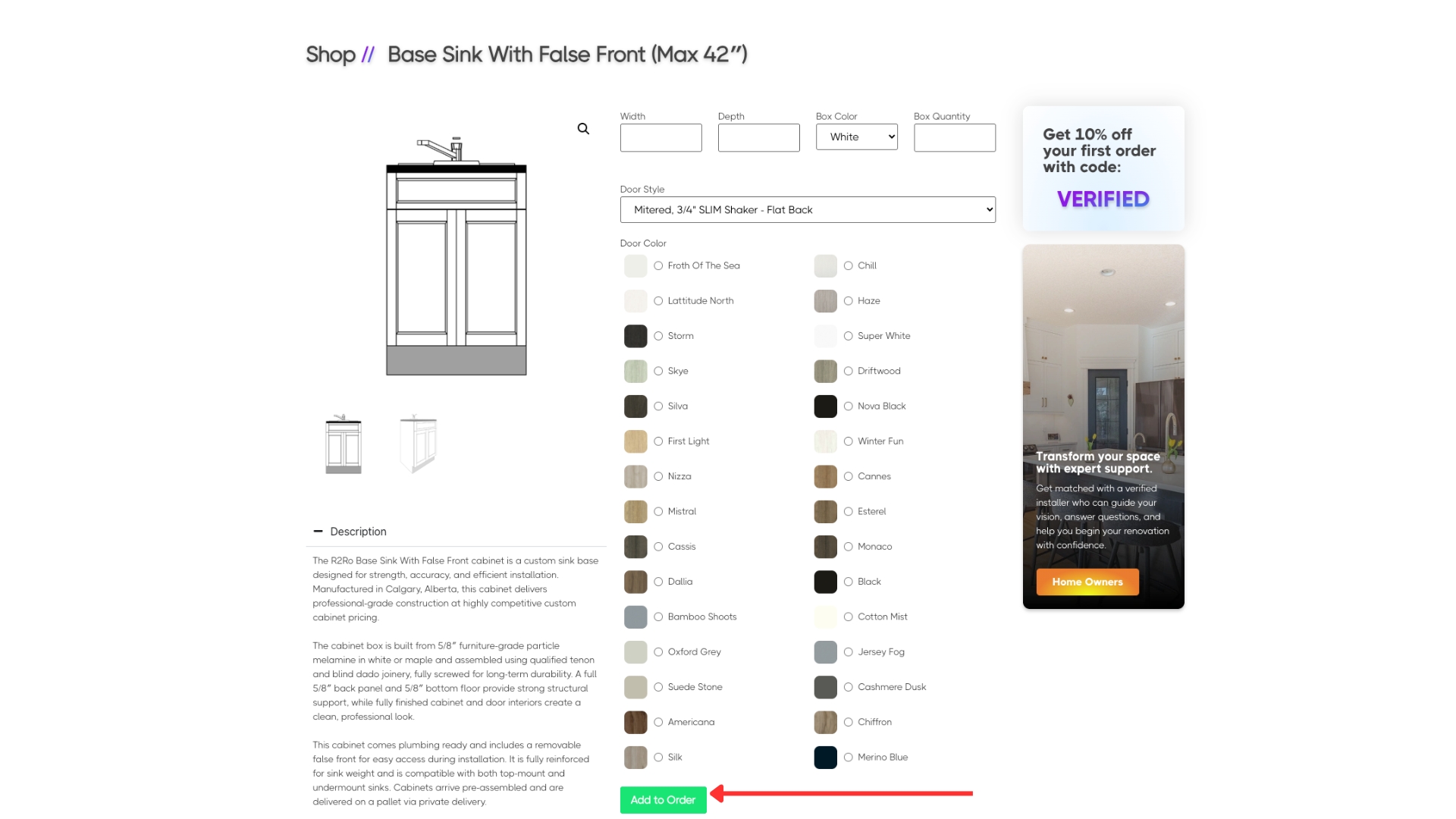
4) Complete the Product Form
Fill out the product configuration form carefully.
You must select:
- Door style (choose one)
- Door colour (choose one)
- Sizing and cabinet details
When everything is correct, click Add to Order.
Reminder: If you need a different door style or colour for another part of the job, place a separate order.
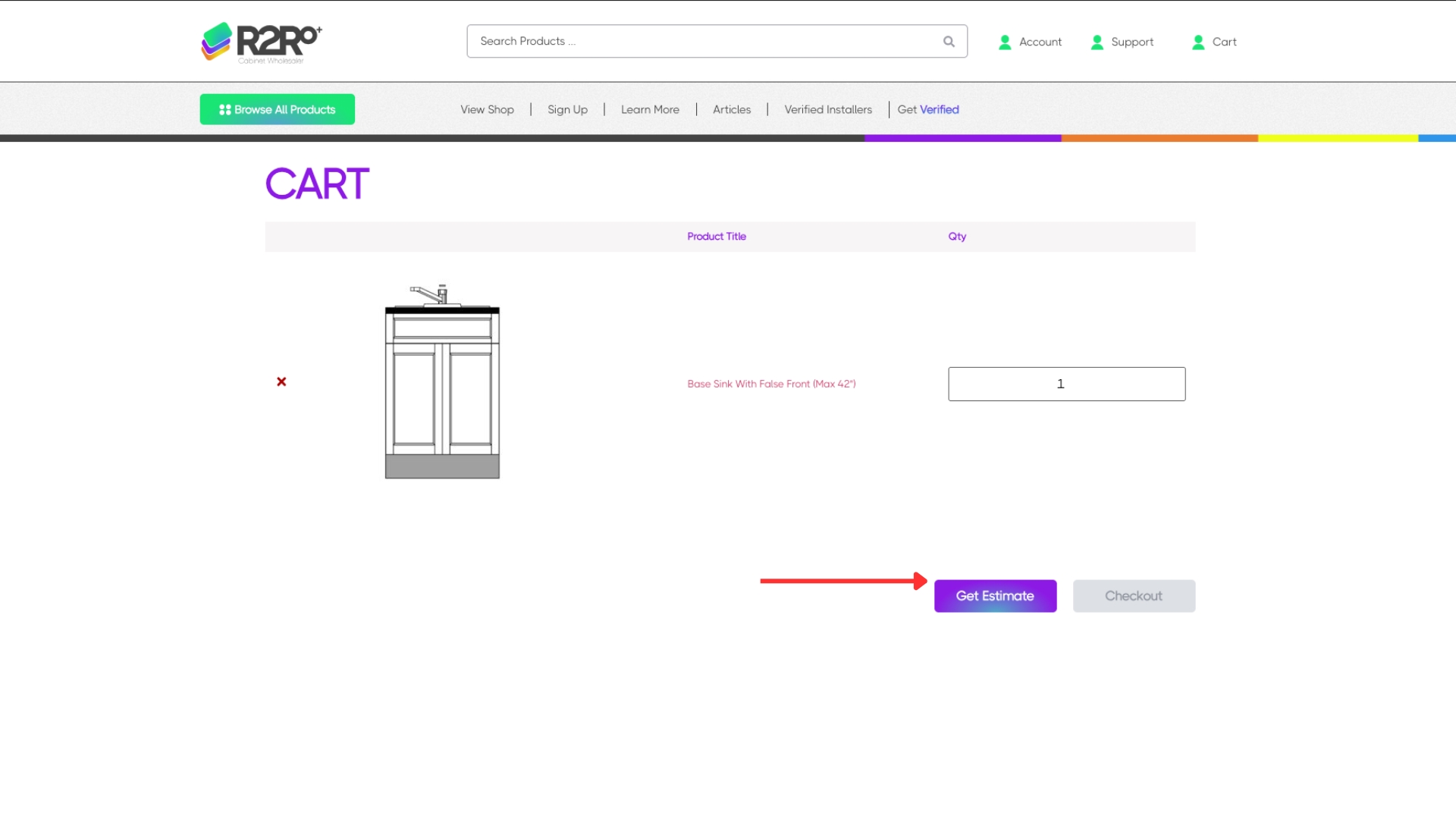
5) Review Your Cart + Get Your Estimate
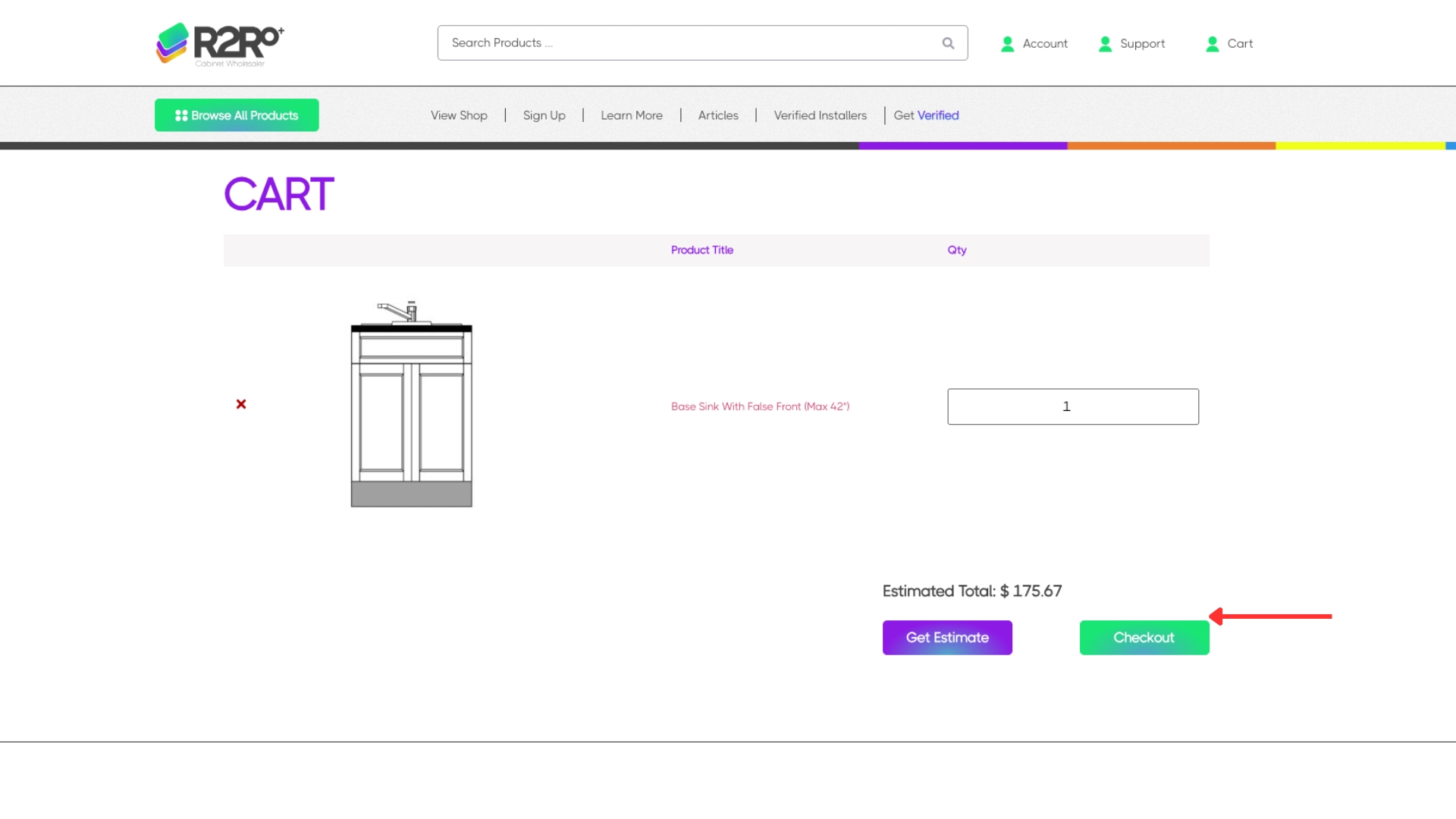
On the Cart page you can:
- Review all items in your cart
- Adjust item quantities if needed
To generate pricing:
- Click Get Estimate to calculate your estimated order total
6) Proceed to Checkout
Once your cart looks correct:
- Click Checkout
7) Checkout + Payment Process
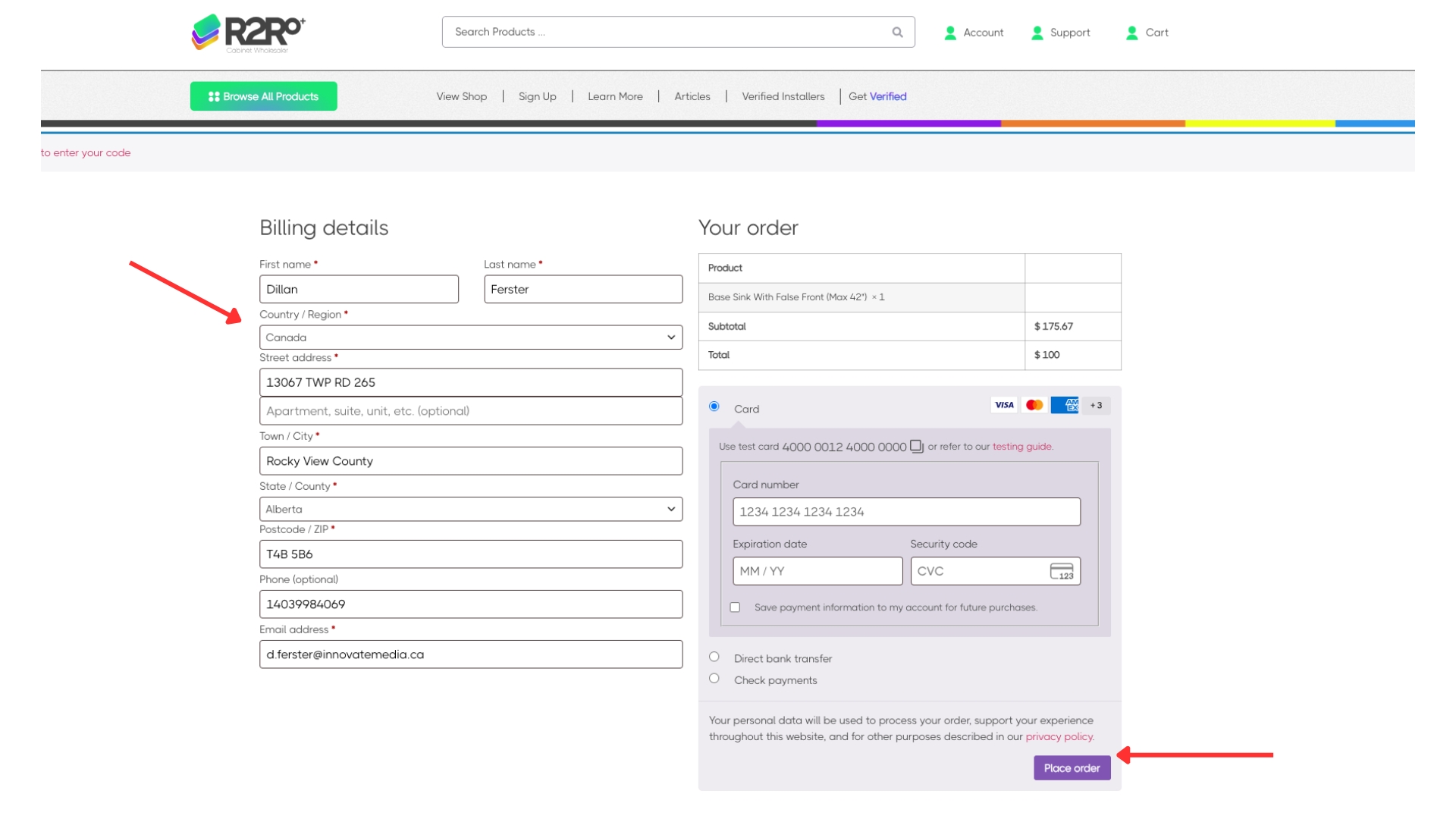
At checkout, you’ll see your order summary and totals — but you are only paying for drawings at this stage.
What you pay today:
- $100 per room (drawings deposit)
- Because it’s one room per order, you will always pay $100 at checkout
What happens after you pay the $100:
- You’ll receive an email with a PDF form to provide the information needed for your drawings.
- Fill out the PDF and email it back to gavin@R2R.ca3
- Once your completed form is received, your drawings are created and sent to you for review.
- Drawings timeline: 1–2 business day
- After you approve the drawings, you will be invoiced for:
- 50% of the order total (deposit invoice)
- Manufacturing begins after the deposit invoice is paid.
- Manufacturing timeline: 9–12 business days
- When your order is ready:
- You will be notified that it’s ready / out for delivery
- The delivery company will contact you to confirm the delivery time
- After delivery, you will receive an invoice for the remaining balance, due Net 30.
Consumer
1) Go to the Shop Page
Navigate to the Shop page to browse cabinet categories and products.
- Click Shop in the main menu, or
- Use any Browse / Shop button on the site
2) Choose a Product Category
On the Shop page, select the cabinet category you need
- Click a category tile or category name to open that category page
3) Select Your Product
Find the cabinet item you want within the category.
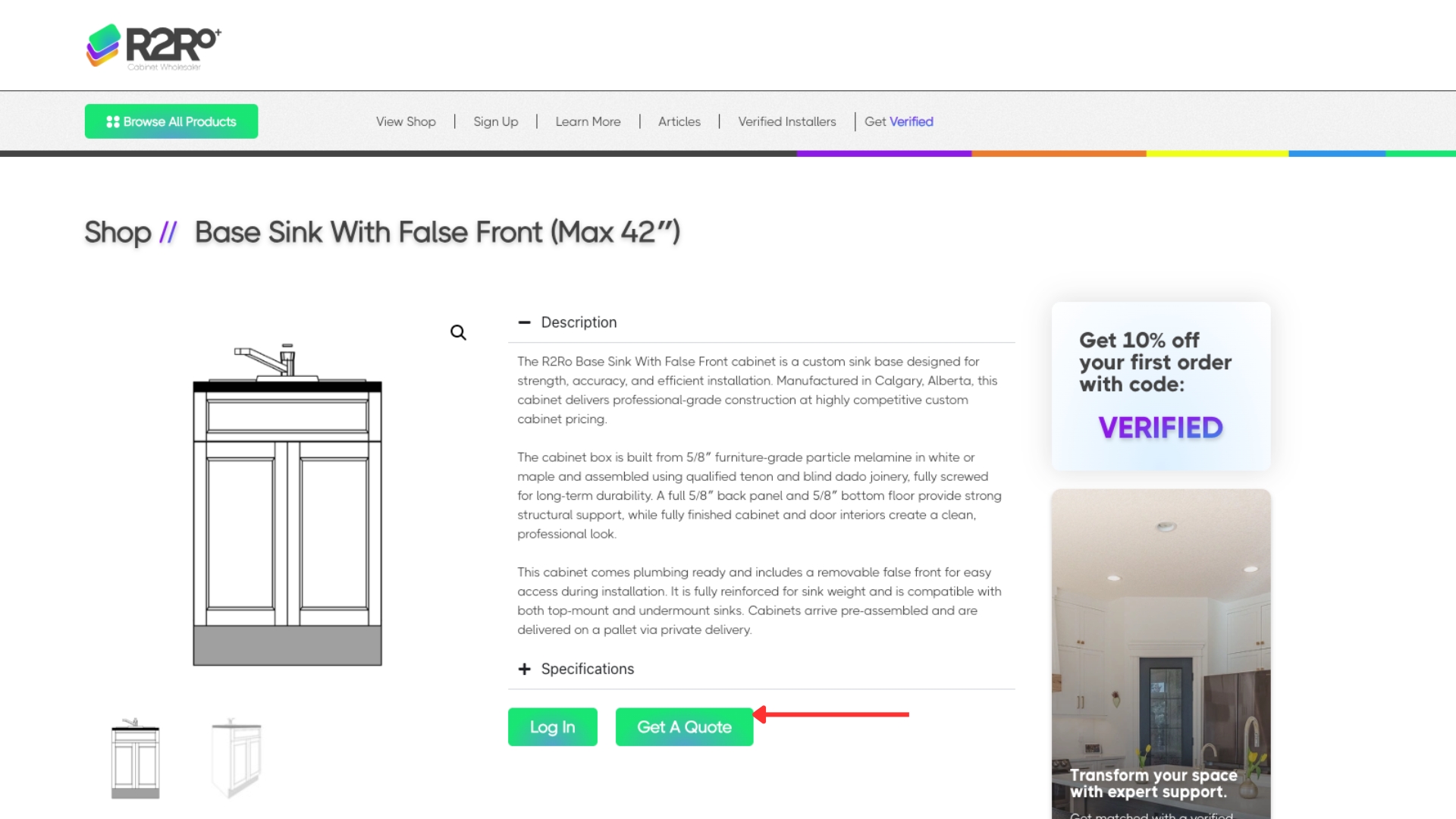
- Click the product, then select Customize & Order
4) Click “Get a Quote”
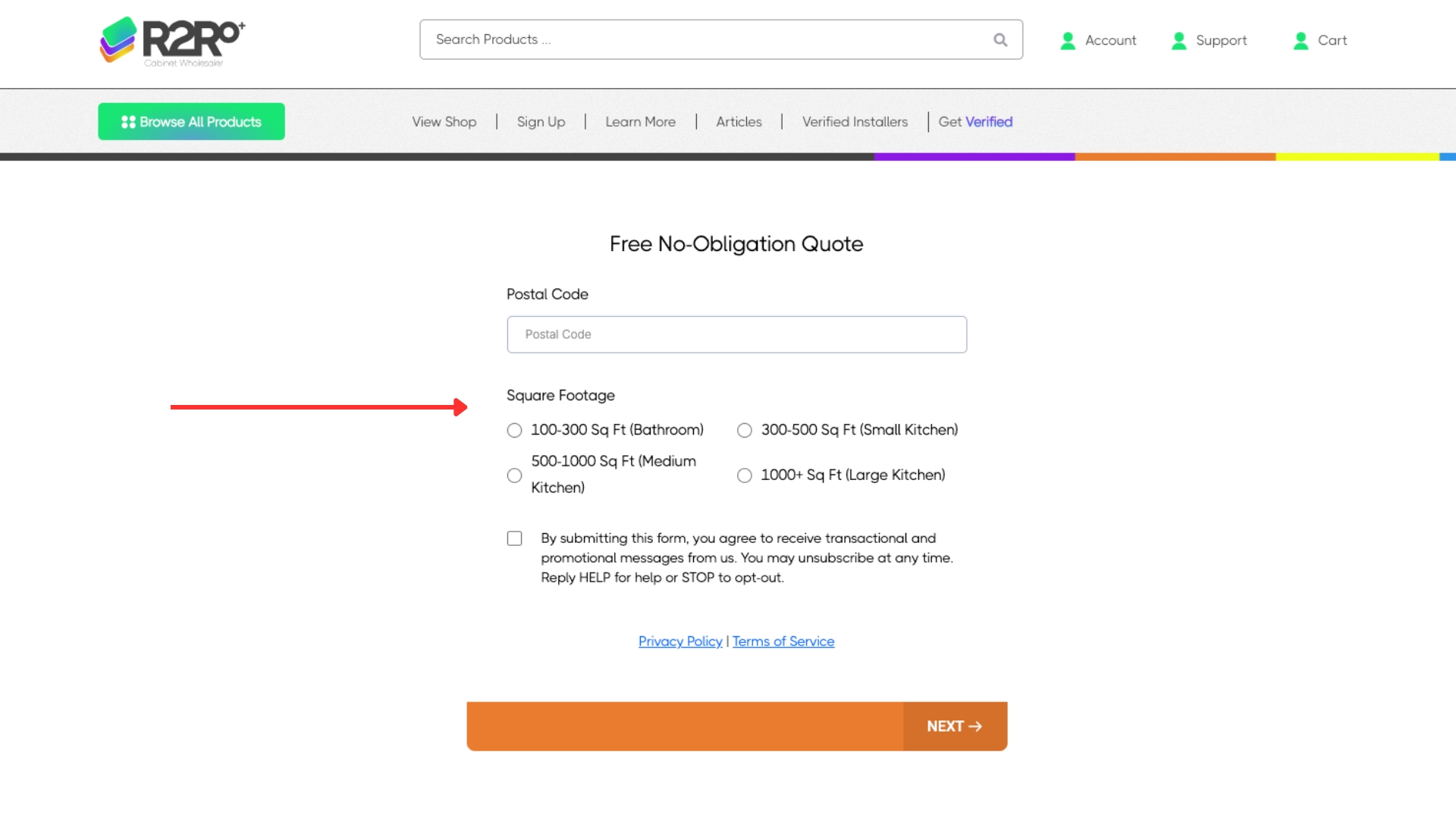
5) Fill Out the Quote Request Form
You’ll be taken to a form page. Provide as much detail as possible about your project (measurements, style preferences, timeline, and any notes).

- After submitting the form, an authorized Room2Room representative will contact you within 24–48 hours.